How availability labels work
“Confirmed online” requires a supported query or an owner heartbeat. A resolvable address is never presented as proof that a server is joinable.


3 matching listings out of 133.
Confirmed online listings appear first. “Reachable” is not treated as online, and a missing check never becomes an offline claim. Player counts appear only when a server exposes them.

Welcome to the place where creativity, business, and community converge. 🔨 Build without limits Secure your own plot of land and create anything your imagination allows. Thanks to well-designed plot systems and clear rules, everything remains fair and transparent. 💰 Player-driven economy Trade with other players, open shops, earn in-game currency, and rise to become an economic tycoon. Supply and demand determine the market—your decisions matter. 🤝 Strong community Whether alone or with friends: collaboration is our top priority. ⚙️ Features at a Glance CityBuild with Plot & City System Player Shops Regular Events & Building Competitions Constant Updates Fair Rules, No Pay-to-Win 🌟 Our Goal A long-lasting, fair, and creative CityBuild server where your ideas take center stage.


Serverul nostru Creative va fi disponibil imediat după lansarea oficială a Hytale, prin partenerul nostru de hosting — singura companie autorizată să ofere servere încă din prima zi, conform informațiilor oficiale. Prin același partener îți vei putea crea și tu propriul server Creative, fără restricții, chiar din momentul lansării. Acest server este conceput ca un spațiu de experimentare liberă, unde jucătorii pot construi fără limite, testa idei, și explora potențialul creativ al Hytale. Nu este doar un loc de joacă — este un laborator comunitar, în care fiecare construcție contribuie la identitatea serverului. Pe măsură ce Hytale evoluează și primește update-uri, vom integra noile funcționalități, blocuri și mecanici, oferind constant noi oportunități de exprimare creativă. Fie că vrei să construiești lumi fantastice, să testezi sisteme complexe sau să colaborezi cu alți creatori, acest server va fi terenul tău de joacă ideal. Construim împreună. Experimentăm împreună. Evoluăm împreună.
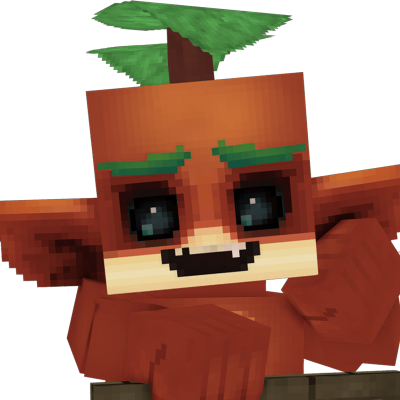

A fun place to hangout when Hytale launches that aims to be one of the top creative hytale servers!
Hytale servers are multiplayer worlds created and operated by the community. Each server offers its own gameplay style — ranging from survival and PvP to creative building, roleplay, dungeons, bosses, and fully custom game modes.
Our Hytale Server List helps players discover servers, compare features, and join the communities that match their playstyle.
Classic gameplay with resource gathering, crafting, exploration, and custom survival challenges.
Competitive combat, arenas, kits, duels, guild wars, and territory control systems.
Story-driven worlds with quests, factions, characters, and custom lore.
Unlimited building with powerful creation tools, shared plots, and collaborative projects.
Exploration, dungeons, puzzles, boss fights, loot systems, and handcrafted worlds.
Joining a Hytale server only takes a few steps:
Use the server address shown on a listing to connect, then check the server's website or community links for its latest rules and updates.
Recently confirmed online servers appear before servers that are offline or awaiting a fresh check.
Within the same status group, newer listings appear first. Votes are visible community feedback, not a permanent ranking lock.
Each card shows when it was last checked and displays a player count whenever the server makes one available.
Descriptions, game modes, versions, and connection details help you compare servers before joining.
Status labels explain what we actually observed, so a high-vote listing cannot look confirmed online without evidence.
Use recent availability, game mode, region, and each server's own community links to decide where to play.
“Confirmed online” requires a supported query or an owner heartbeat. A resolvable address is never presented as proof that a server is joinable.
Compare each server's mode, location, description, version, and outbound community links before you copy the address.
Recently added Hytale servers. View server features, gamemodes, and upcoming launch timelines.
Everything you need to know about Hytale servers and our platform